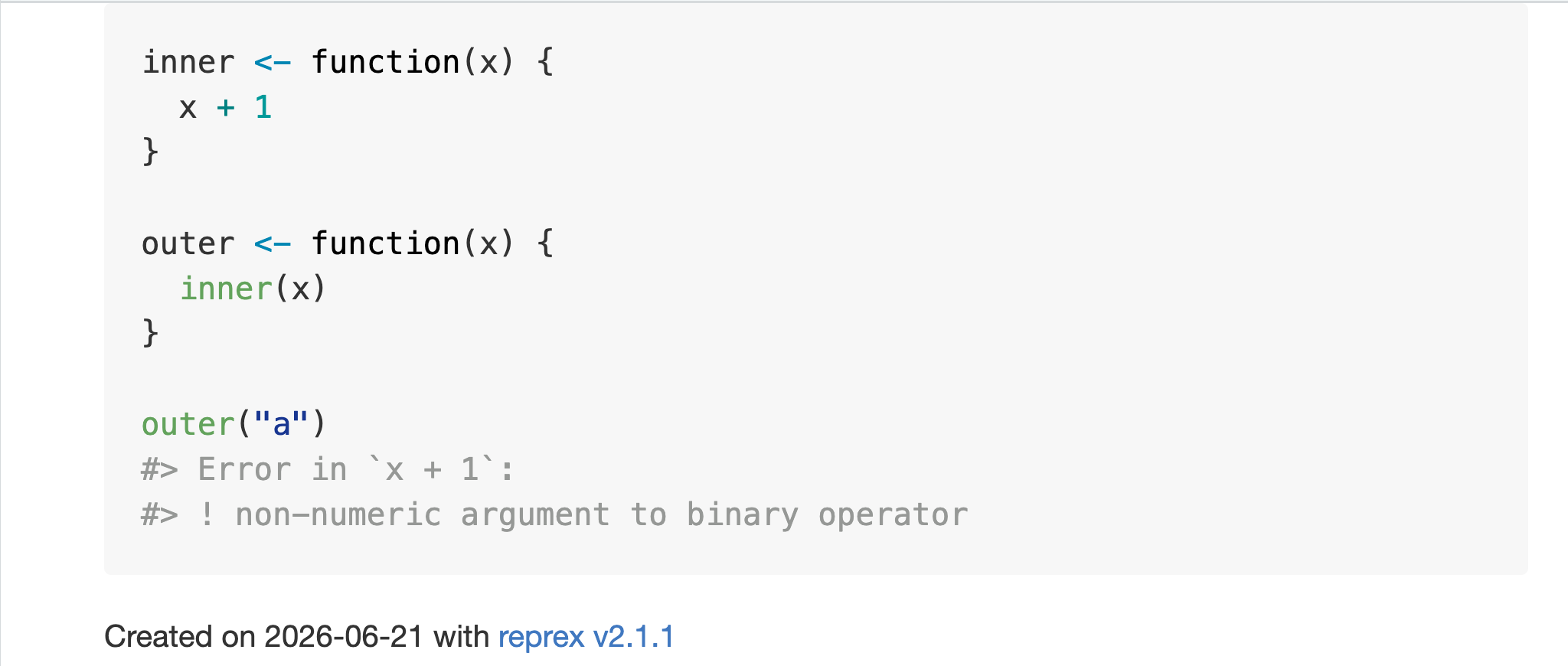
Error in `x + 1`:
! non-numeric argument to binary operatorR for R Users
Part 2: Solving code problems
Malcolm Barrett
Strategies for solving code problems
- Restart your R session
- Debugging tools
- Reproducible examples
- LLMs
Debugging
Key concepts
- Traceback: Shows the call stack leading to an error (where).
- Interactive debugger: Allows you to step through code line by line (why).
Tracebacks
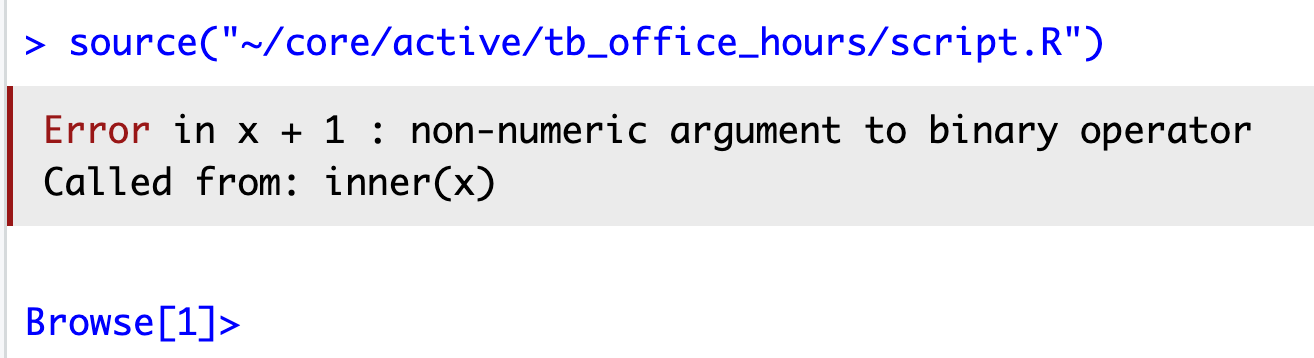
Tracebacks
2: inner(x) at #6
1: outer("a") at #9
Tracebacks
browser()
Interactive debugging
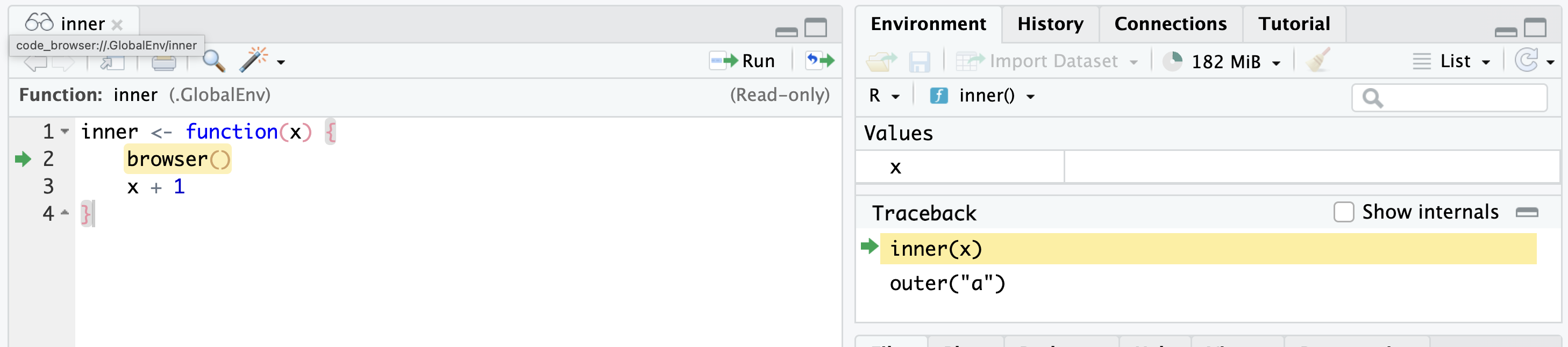
Interactive debugger tips
Investigate objects
ls(), ls.str(),
str(), print()
Control execution
| command | operation |
|---|---|
n |
next statement |
c |
continue (leave interactive debugging) |
s |
step into function call |
f |
finish loop / function |
where |
show previous calls |
Q |
quit debugger |
source: What They Forgot to Teach You about R
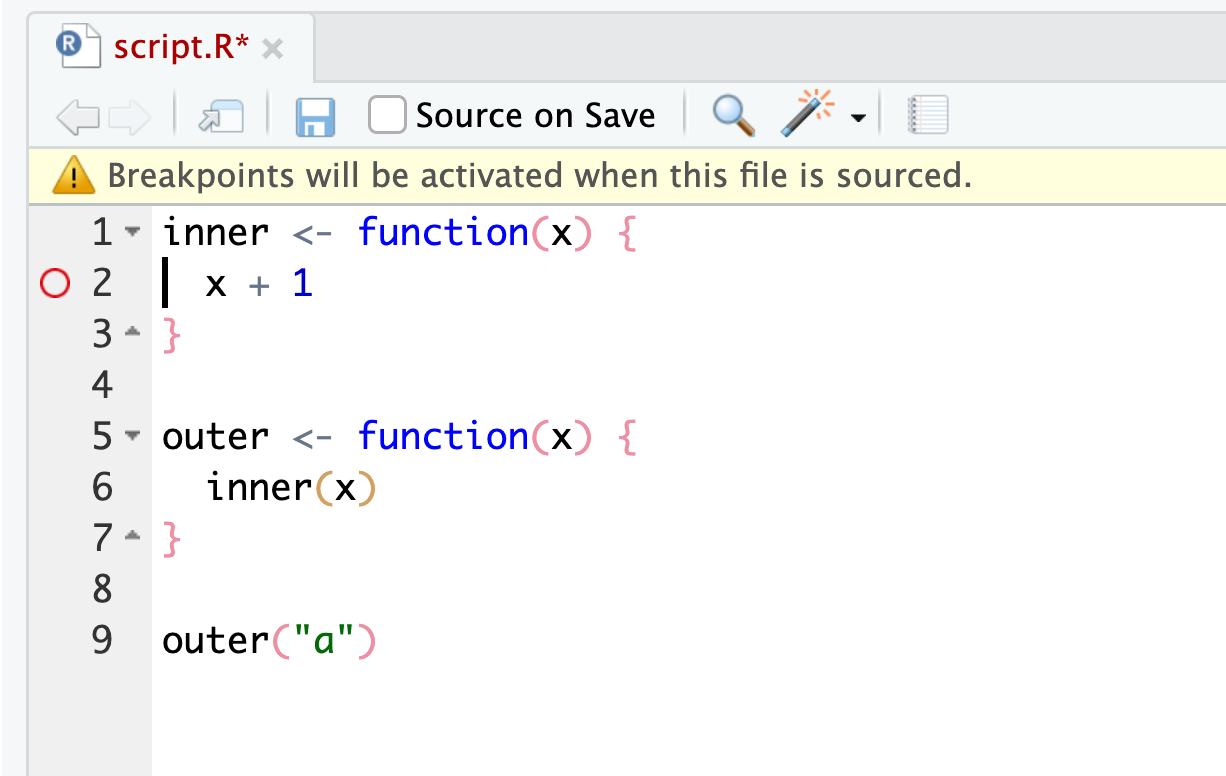
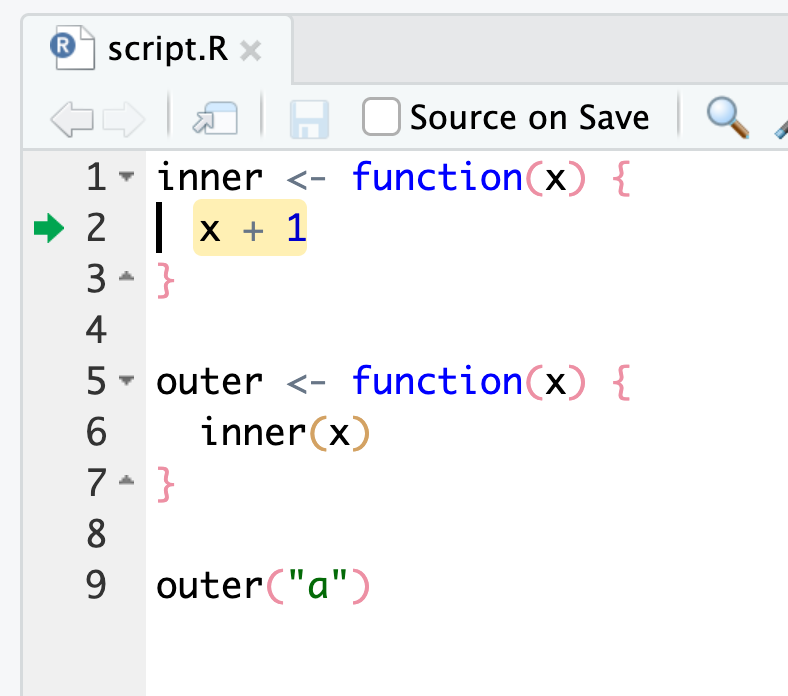
Breakpoints
Debugging console
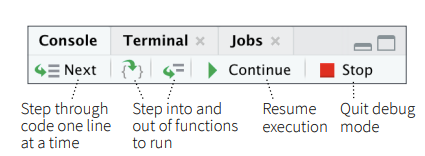
RStudio IDE cheatsheet
RStudio error handling
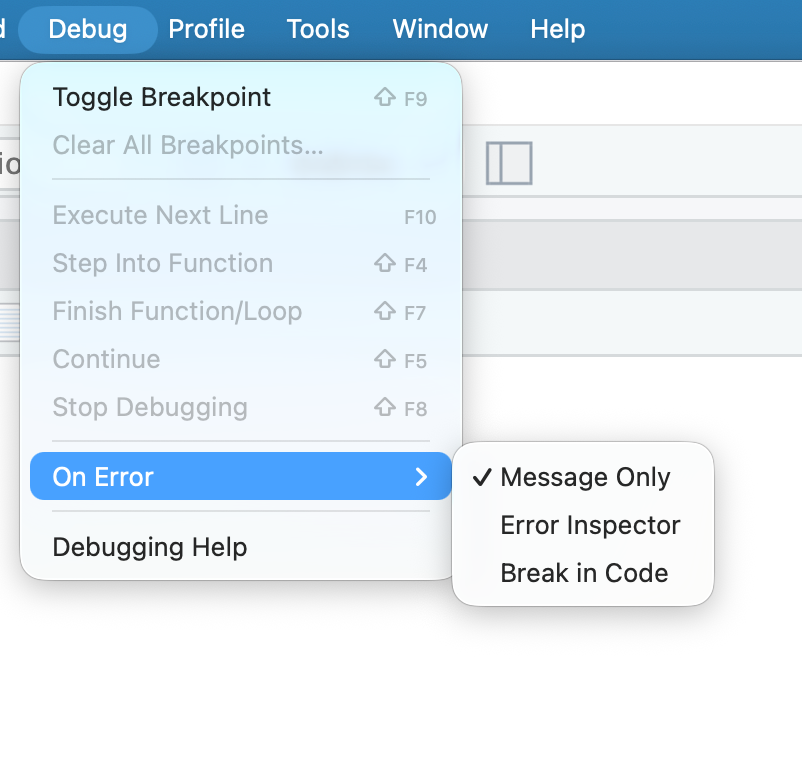
IDE message only

IDE error inspector

IDE break in code
debug()
debugonce()
options(error = recover)
- Always enter the debugger on error
Warnings
# default, stores warnings until top-level function returns
options(warn = 0)
# warnings are printed as they occur
options(warn = 1)
# upgrades warnings to errors
options(warn = 2)

# initiate recover on warning
# and save original settings
old <- options(warn = 2, error = recover)
# restore original settings
options(old)
# source: rstats.wtf
Making (minimal) reproducible examples
Minimal reproducible examples
Error in `fortify()`:
! `data` must be a <data.frame>, or an object coercible by `fortify()`,
  or a valid <data.frame>-like object coercible by `as.data.frame()`.
Caused by error in `check_data_frame_like()`:
! `dim(data)` must return an <integer> of length 2.
Minimal reproducible examples
- Make it reproducible (e.g. you may need
library()) - Make it minimal (e.g. remove unnecessary code)
Minimal reproducible examples
Error in `fortify()`:
! `data` must be a <data.frame>, or an object coercible by `fortify()`,
  or a valid <data.frame>-like object coercible by `as.data.frame()`.
Caused by error in `check_data_frame_like()`:
! `dim(data)` must return an <integer> of length 2.
reprex ![]()
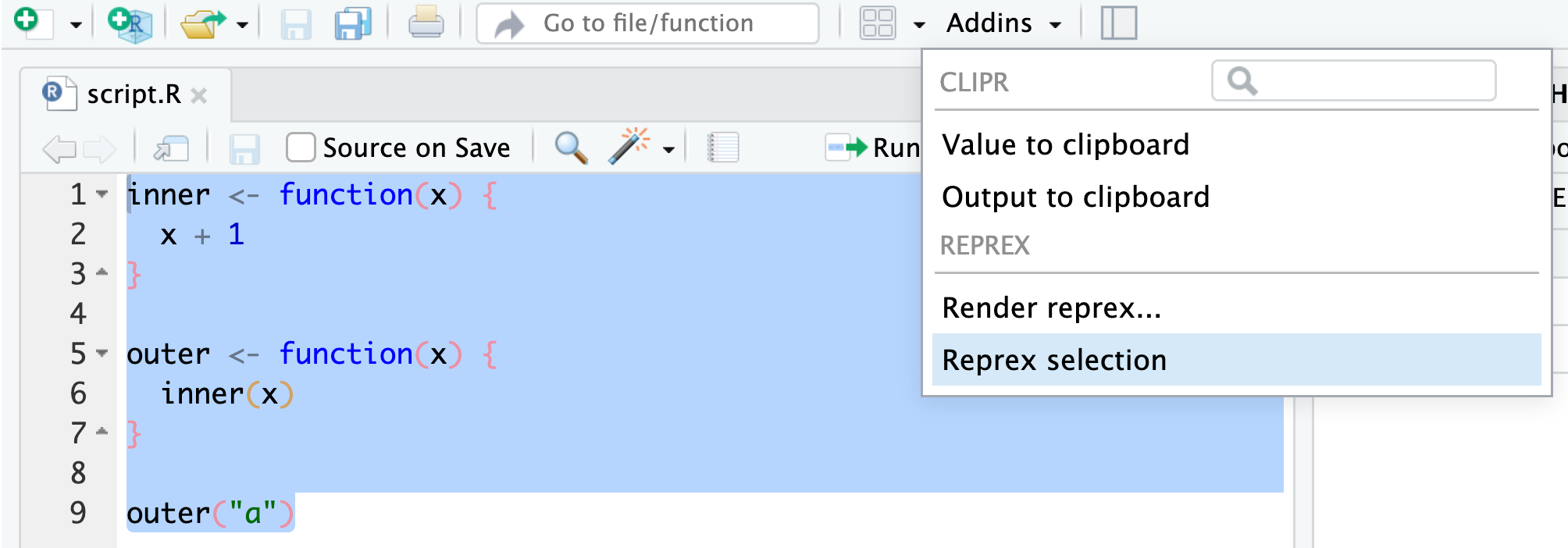
- Copy code to the clipboard and run
reprex::reprex()in the console - Or use the RStudio addin
reprex
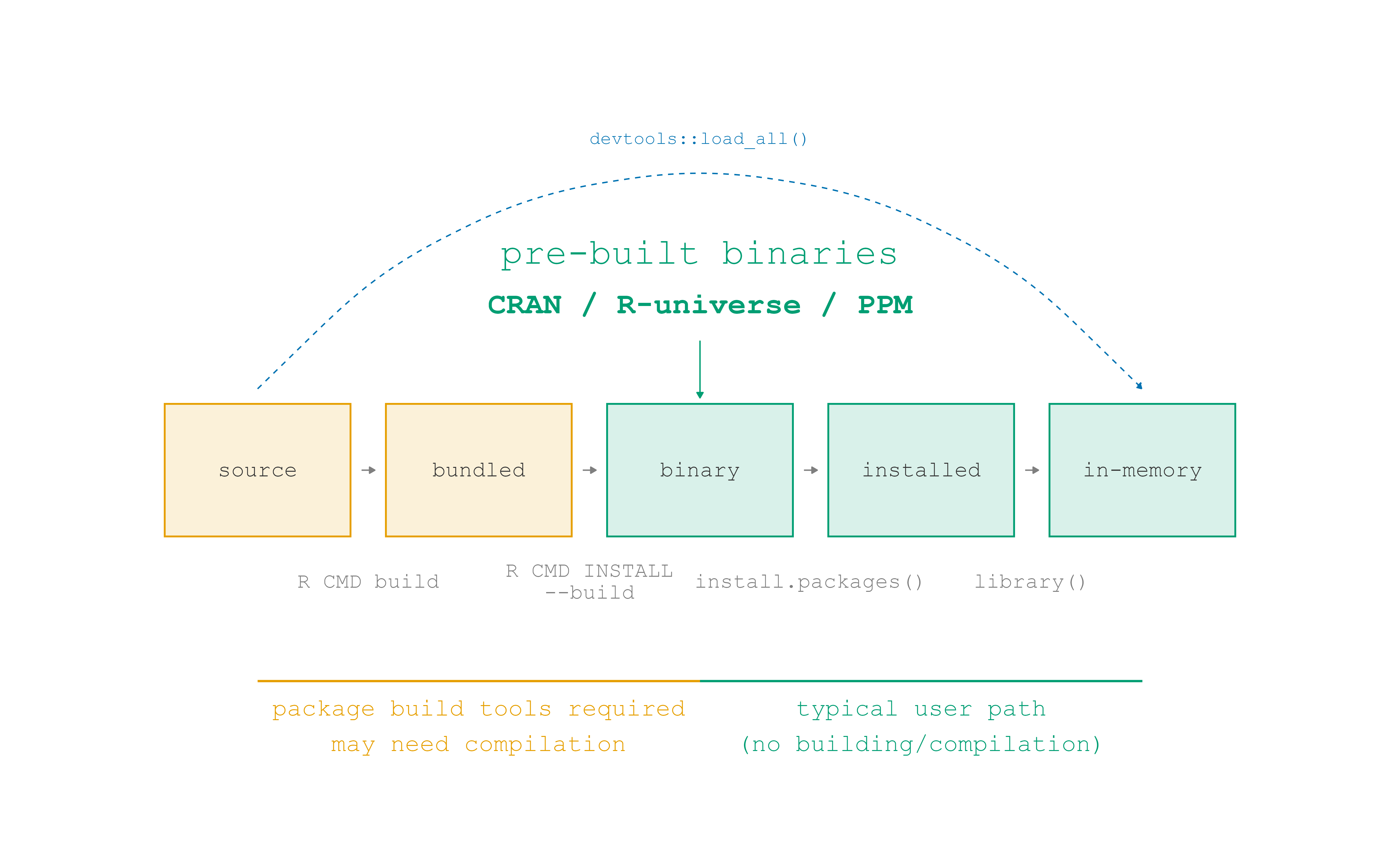
Source code and binaries
Package states
- Package developers write in source code, then bundle the code to send to CRAN.
- CRAN builds binaries or otherwise supplies the bundle to install.
- We install the result with
install.packages()and friends. - We bring an installed package into memory with
library().
Package states
Package repositories
                       CRAN
"https://cran.rstudio.com/"
attr(,"IDE")
[1] TRUE- CRAN offers binaries for Windows and Mac, typically for the latest version and the version before that
- CRAN archives package bundles for all versions that have been on CRAN, but these then need to be built from source
Package repositories
- Posit Package Manager offers binaries for many OSes as well as daily-ish snapshots
- R-Universe and R-Multiverse are increasingly important community-led, GitHub-based repositories that serve binaries
Managing R installations
rig: The R Installation Manager
- rig is a command line tool that you use in the terminal (not the R console) to manage R installations
rig add <version>, e.g.rig add 4.1.0rig add releaserig default <version>,rig rstudio <version>
R Startup
R Startup

source: What They Forgot to Teach You about R
.Rprofile
- R code that runs at startup
- Can be used to set options, load development packages, and customize your R console
- Should generally not be used for things that will affect reproducibility, e.g., loading a package required for code to work
.Rprofile
usethis::edit_r_profile()opens the user-level .Rprofileinteractive()is a useful function to conditionally run code only in interactive sessions, e.g. loading dev packages likedevtoolsandusethis
.Rprofile
.Rprofile
.Rprofile
.Rprofile
.Renviron
- Environment variables that are set at startup
- Can be used to set API keys, database credentials, and other sensitive information
.Renviron
usethis::edit_r_environ()opens the user-level .Renviron- Use
Sys.getenv()to access environment variables in your R code
.Renviron
From R:
Scope of .Rprofile and .Renviron
- User-level:
~/.Rprofileand~/.Renviron - Project-level:
./.Rprofileand./.Renviron usethis::edit_r_profile(scope = "project")andusethis::edit_r_environ(scope = "project")- Tools such as {renv} also use
.Rprofilefor project-specific settings for package management